Visual Strategy Builder
Design a full strategy with forms — no code. Instruments, timing, entries, orders and risk.
The Visual Builder compiles your form choices into robust execution code under the hood. No programming required.
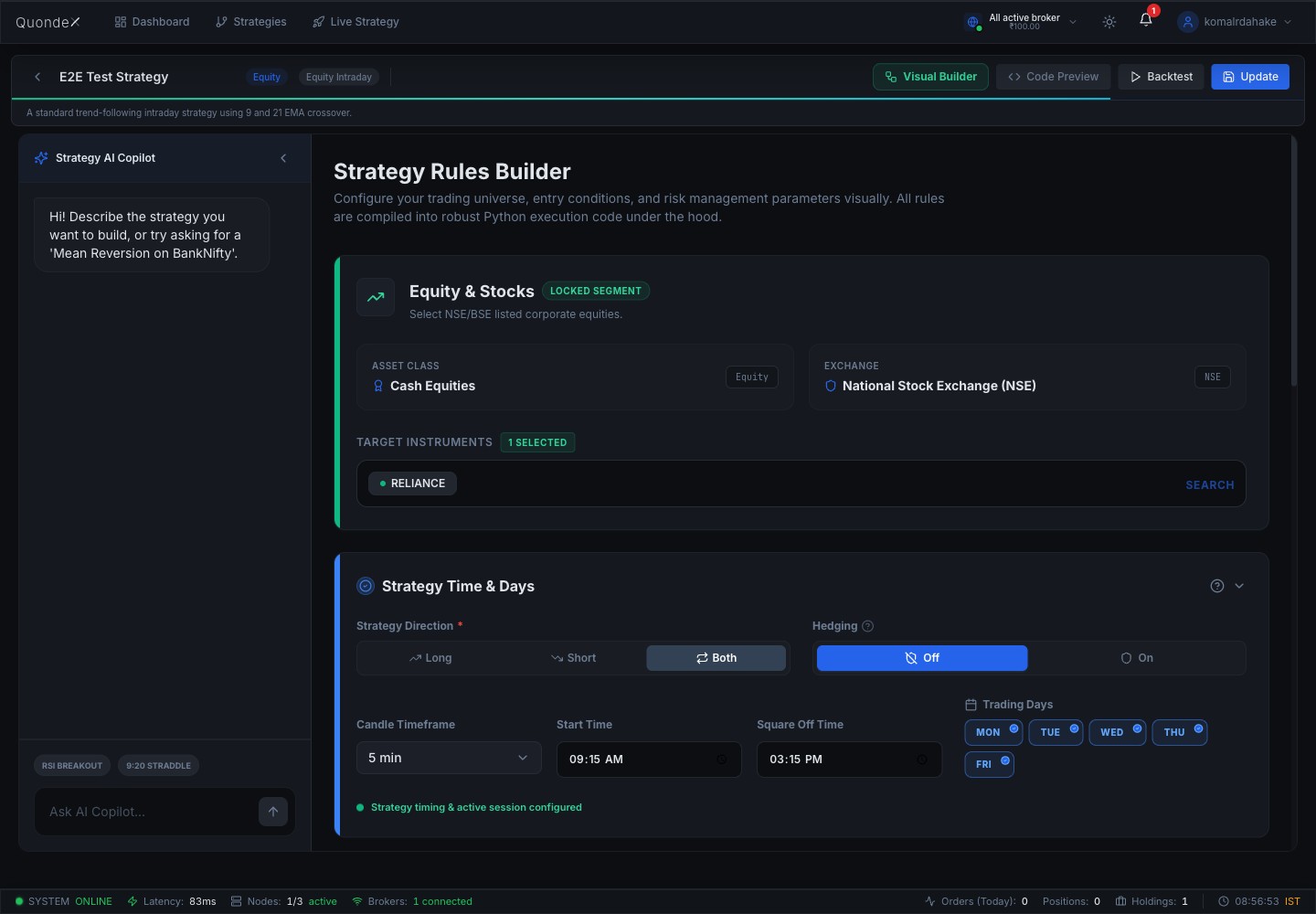
1. Trading universe
- Asset class & exchange (e.g. Cash Equities, NSE).
- Target instruments — search and add the symbols to trade (e.g. RELIANCE). At least one is required to backtest or deploy.
2. Strategy time & days
- Direction — Long, Short or Both.
- Candle timeframe — 1m, 3m, 5m, 15m, …
- Start time / Square-off time — intraday session window (e.g. 09:15 → 15:15).
- Trading days — pick the weekdays the strategy runs.
- Hedging — on/off.
3. Entry conditions
Add one or more rules — an indicator/price, a condition (crosses above, greater than, …), and a target (a value or another indicator). Example: EMA(9) crosses above EMA(21). Set each indicator's parameters (period, etc.).
Execution filters: max entries per day, and a signal timing mode (trigger on candle close = most stable).
4. Order configuration
Order type, position sizing, product type, slippage protection and iceberg slicing — see Order Configuration.
5. Exit conditions & risk
Stop-loss, target, trailing stop, time-based exit, breakeven, plus daily account risk limits — see Risk Management.
AI Copilot
The side panel can draft a strategy from a plain-English prompt (e.g. "Mean reversion on BankNifty"). Use Code Preview to see the generated code, Backtest to test, and Update to save.