Strategies Overview
Create, clone, edit, backtest and deploy strategies from one place.
The Strategies page lists everything you can run — your own drafts and Quondex prebuilt templates.
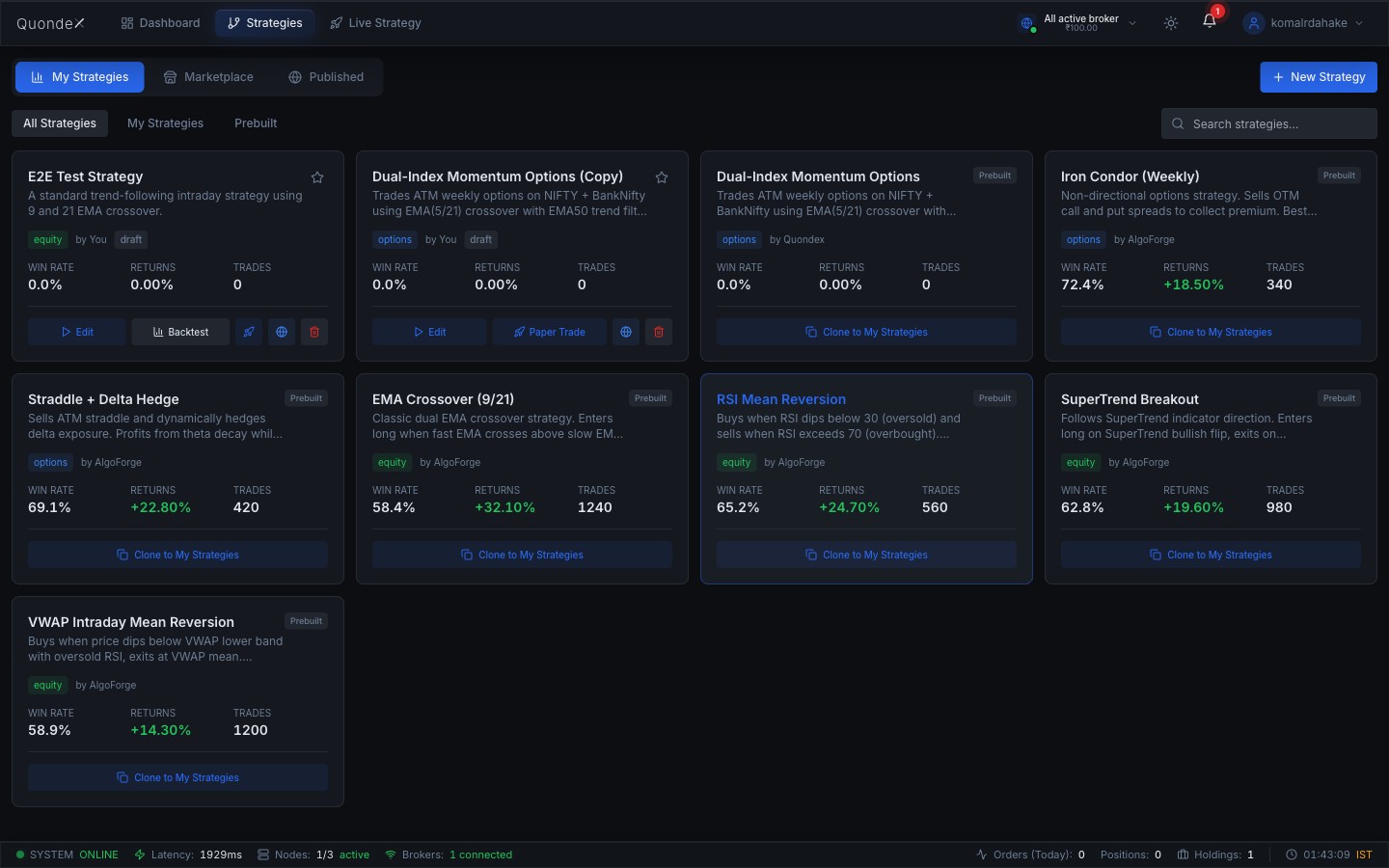
Tabs
- My Strategies — strategies you created.
- Marketplace / Prebuilt — ready-made templates (EMA Crossover, RSI Mean Reversion, SuperTrend, Iron Condor, Straddle + Delta Hedge, and more).
- Published — strategies you've shared.
Per-strategy actions
- Edit — open in the builder.
- Backtest — run a simulation on historical data.
- Paper Trade / Deploy — push live (paper or real).
- Clone to My Strategies — copy a prebuilt template into your account, then customise.
Each card shows the win rate, returns and trade count from its last backtest.
Create a new strategy
Click New Strategy → choose a segment (Equity / Options) → choose a builder mode (Visual or Code) → name it. You land in the builder, ready to configure.
Was this page helpful?